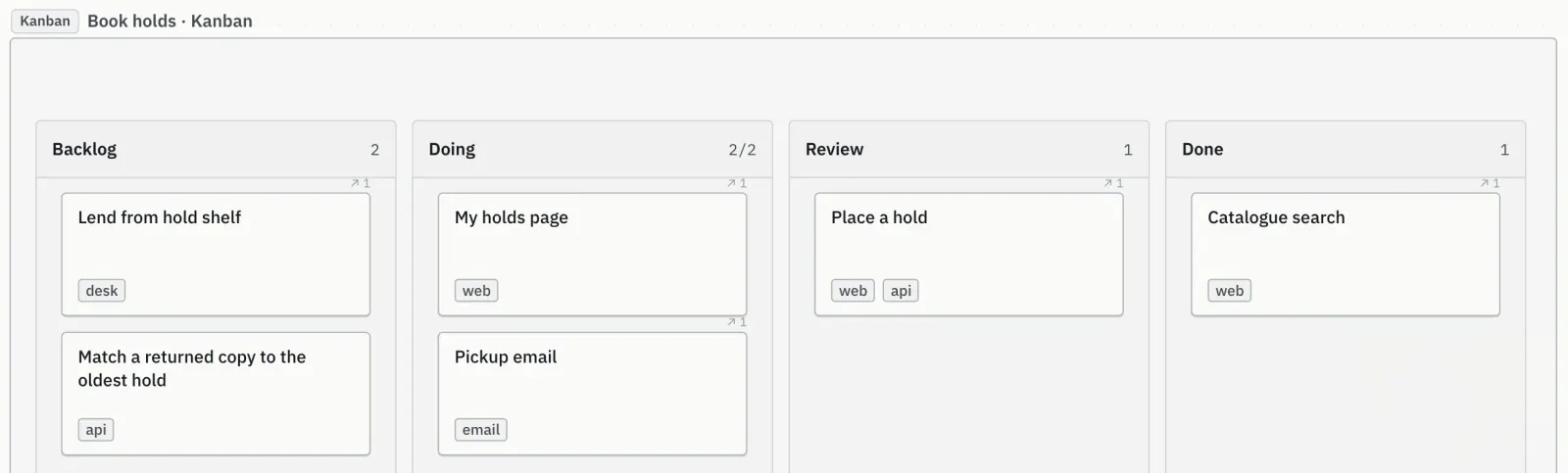
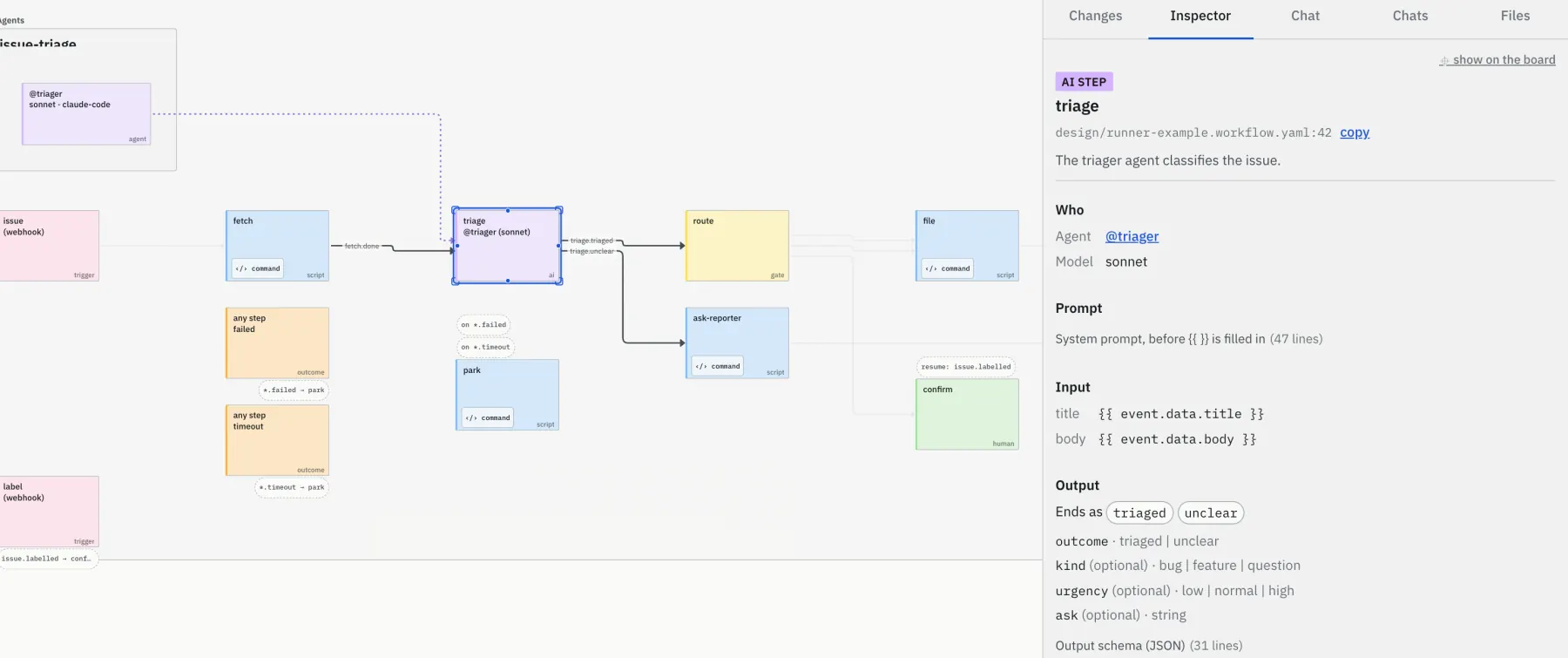
Talk designs through with your AI agent on a shared board.

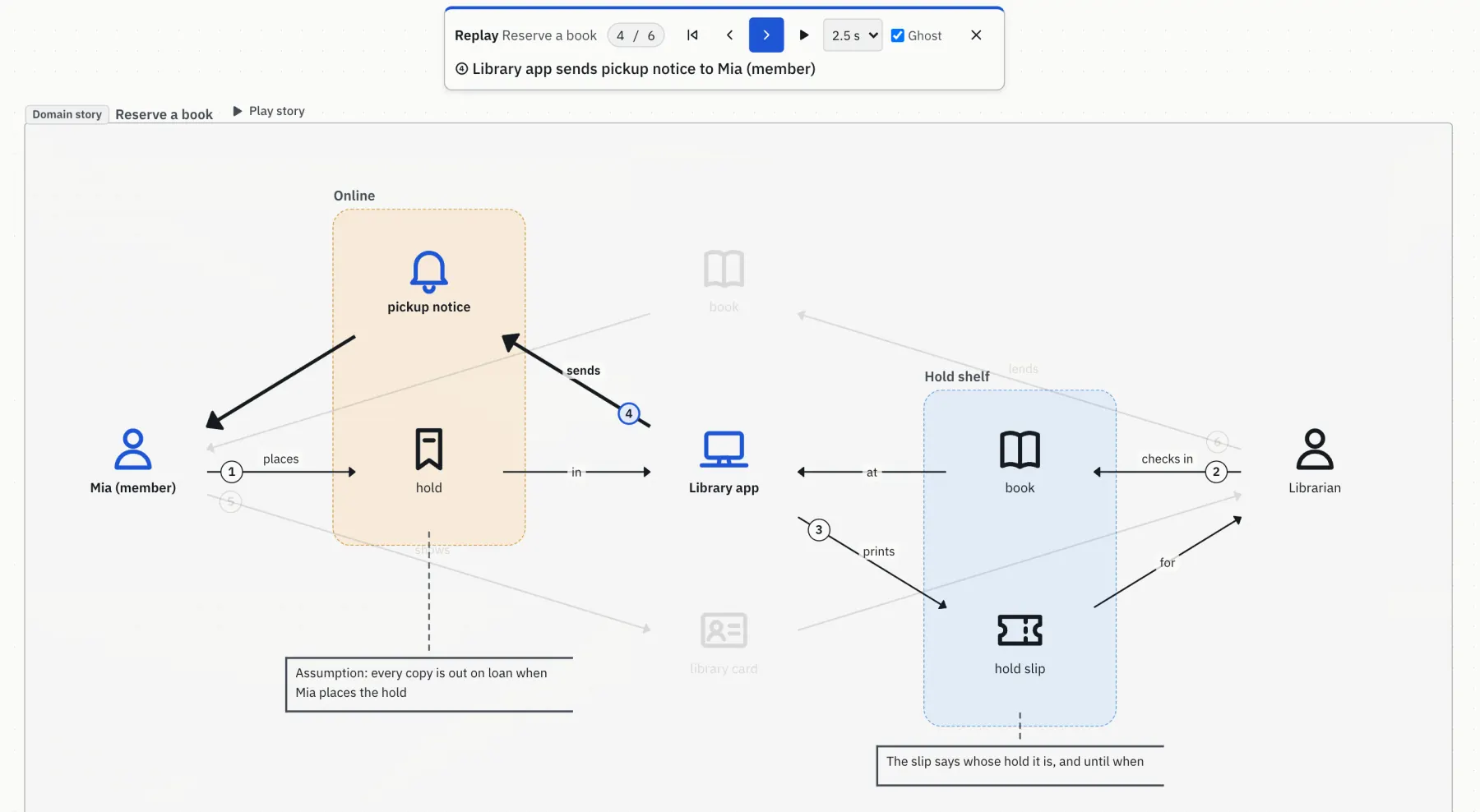
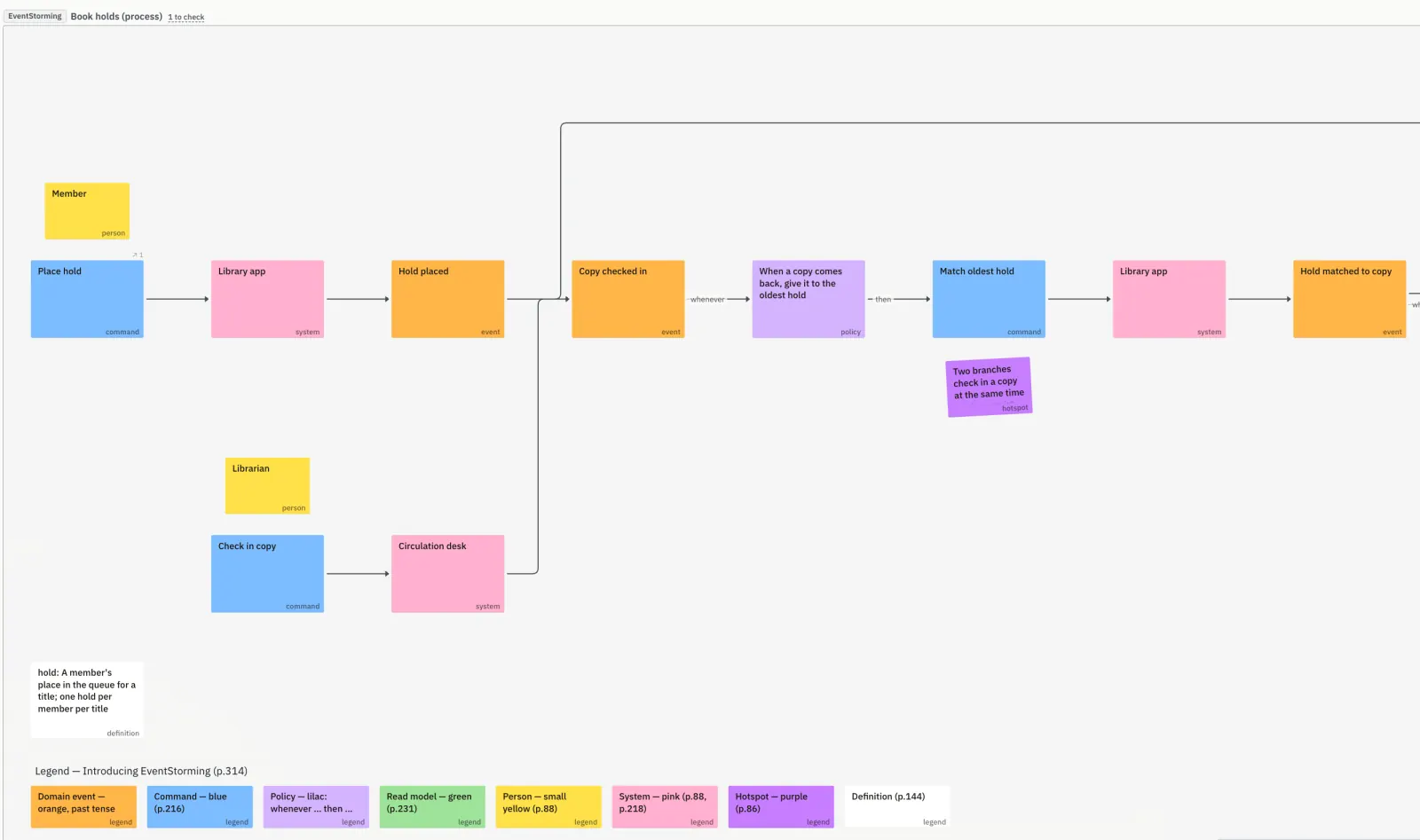
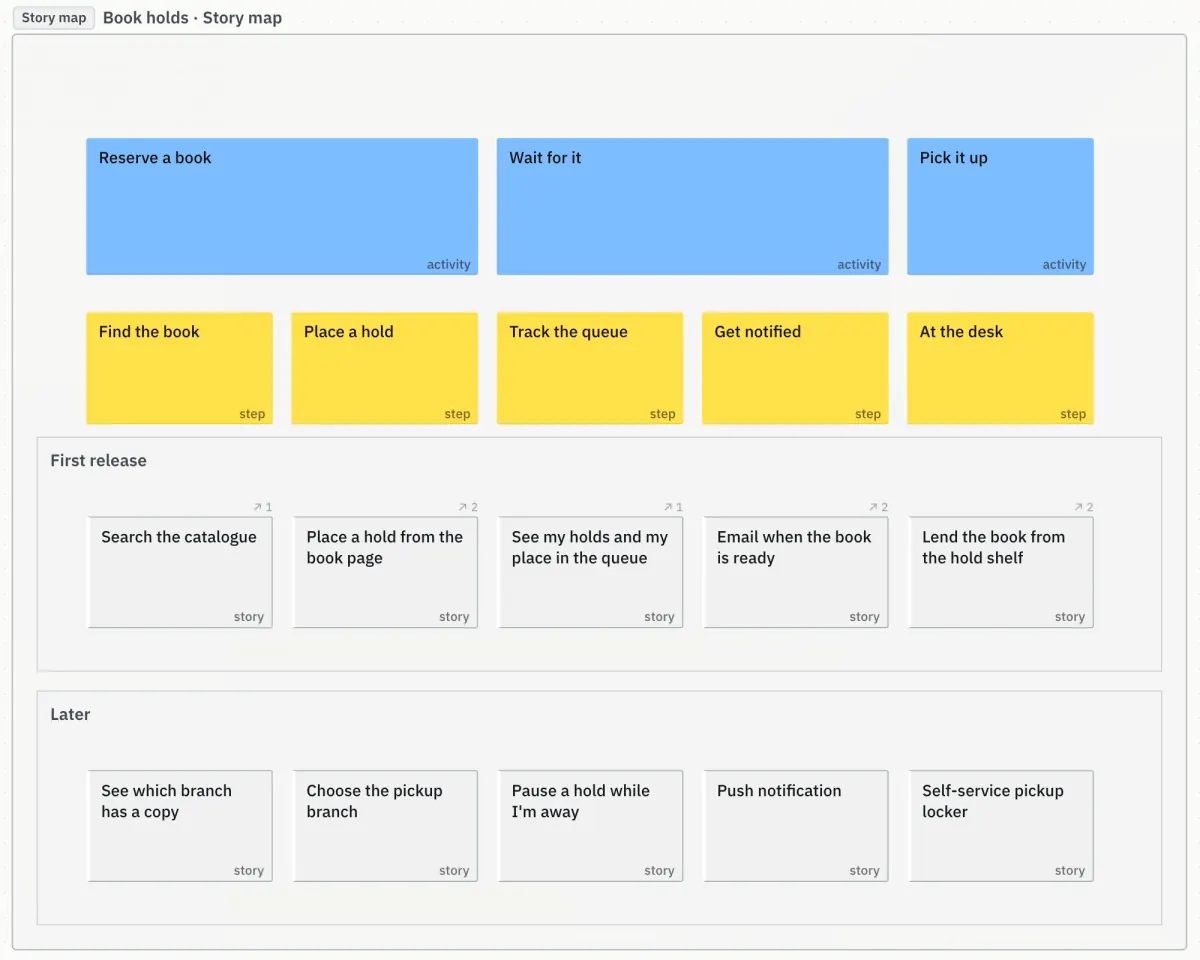
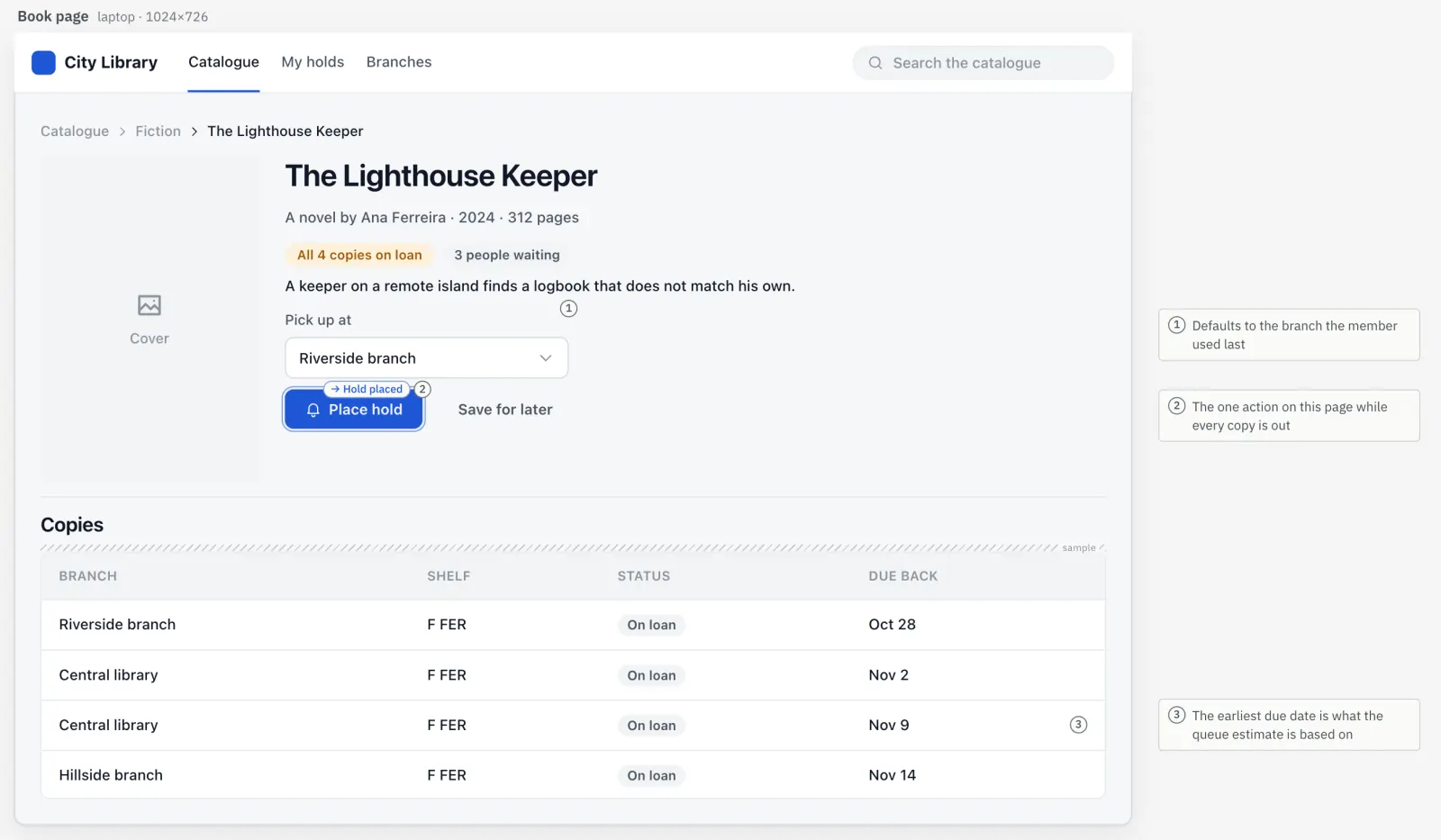
Unprose is a board that you and your coding agent both work on. The agent draws EventStorming, domain stories, story maps, kanban, UI mocks and agent workflows from design files in your repo. You point at a box and ask; it answers in the thread, and changes the files only after you agree.

For people who build software with Claude Code, Codex or any MCP agent. Open source, Apache-2.0, runs on your machine.

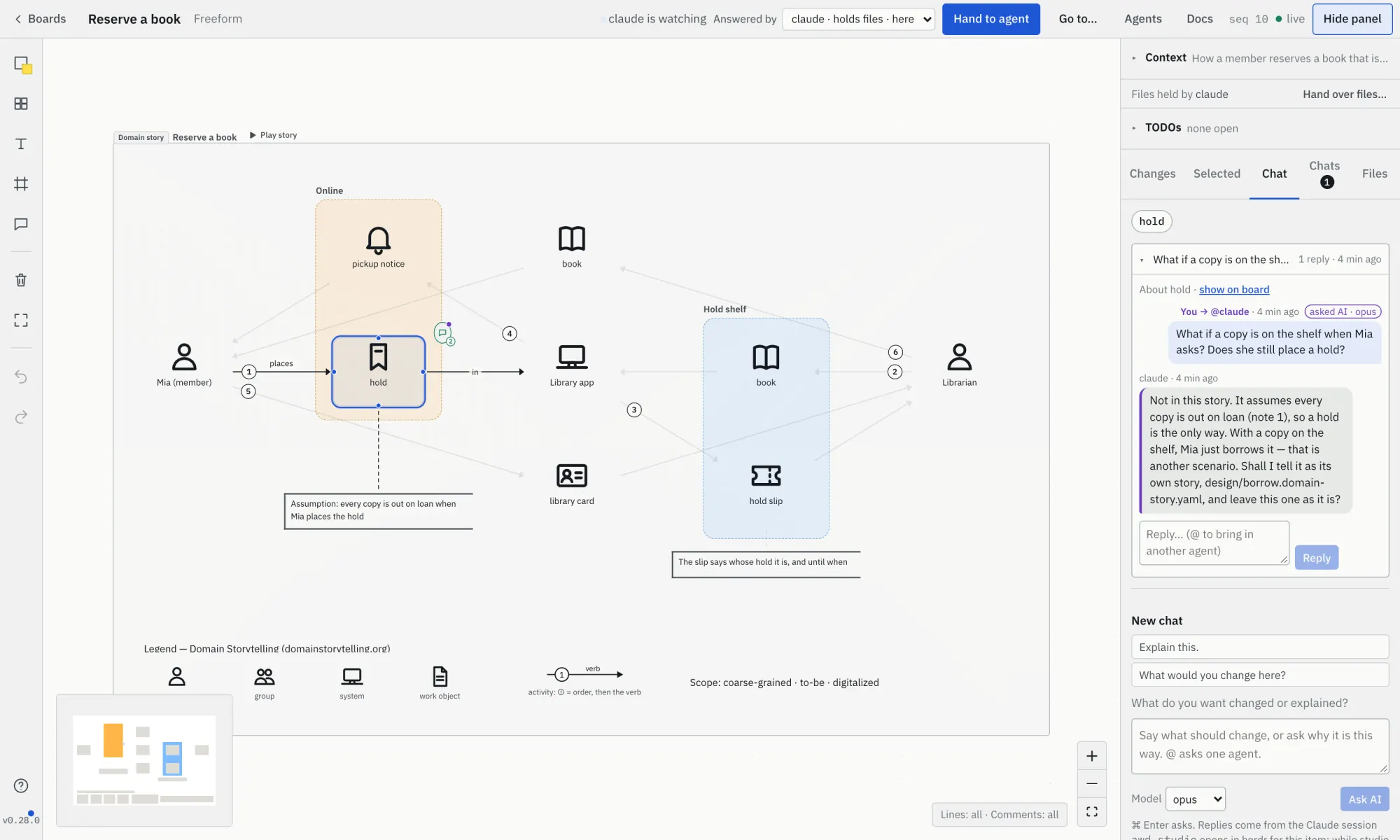
The Unprose canvas: a domain story about reserving a library book, drawn as pictograms with numbered arrows and two coloured groups. The work object 'hold' is selected, and the Chat tab on the right shows the person's question, 'What if a copy is on the shelf when Mia asks? Does she still place a hold?', and the agent's answer in the same thread.
Select something and ask. Here the person asks about the hold in a domain story; the agent, which drew it from design/holds.domain-story.yaml, answers in the thread and offers to tell the other case as a story of its own.

Long agent output is hard to agree on. A board is not.

In a wall of text you can't point at one sentence and say "this part". On a board you can: one item, a few, some lines of a file, or the whole diagram.

  • Files are the truth

    Each diagram is a file in design/ in your repo. The board is drawn from it, and every change is an ordinary git diff.

  • The agent edits, you direct

    You ask and decide. The agent writes the file, lints it and redraws the board.

  • Board edits are proposals

    A dragged wire, text edited in the source dialog, another agent's diff: each waits in its thread until you agree. The canvas itself never writes a file.

  • Your layout stays

    A redraw keeps what you moved, and what you deleted stays deleted.

Ask, discuss, agree. Then the file changes.

Every conversation is anchored to what you selected, so the agent knows exactly what you mean.

  1. Ask your agent for a diagram

    Draw an EventStorming of our signup flow in Unprose.

    It writes design/signup.es.yaml, checks it and draws it on a board at localhost:4400.

  2. Point at something and ask

    Select a box, open Chat, type, press Ask AI. Every message shows where it is:

    • Sent
    • Seen by agent
    • Agent is working…
    • Needs you
  3. Agree, and the file changes

    The agent answers in the thread, or proposes a concrete edit as a diff. Nothing is written until you say yes; then the agent that holds the files applies it, lints, and redraws.

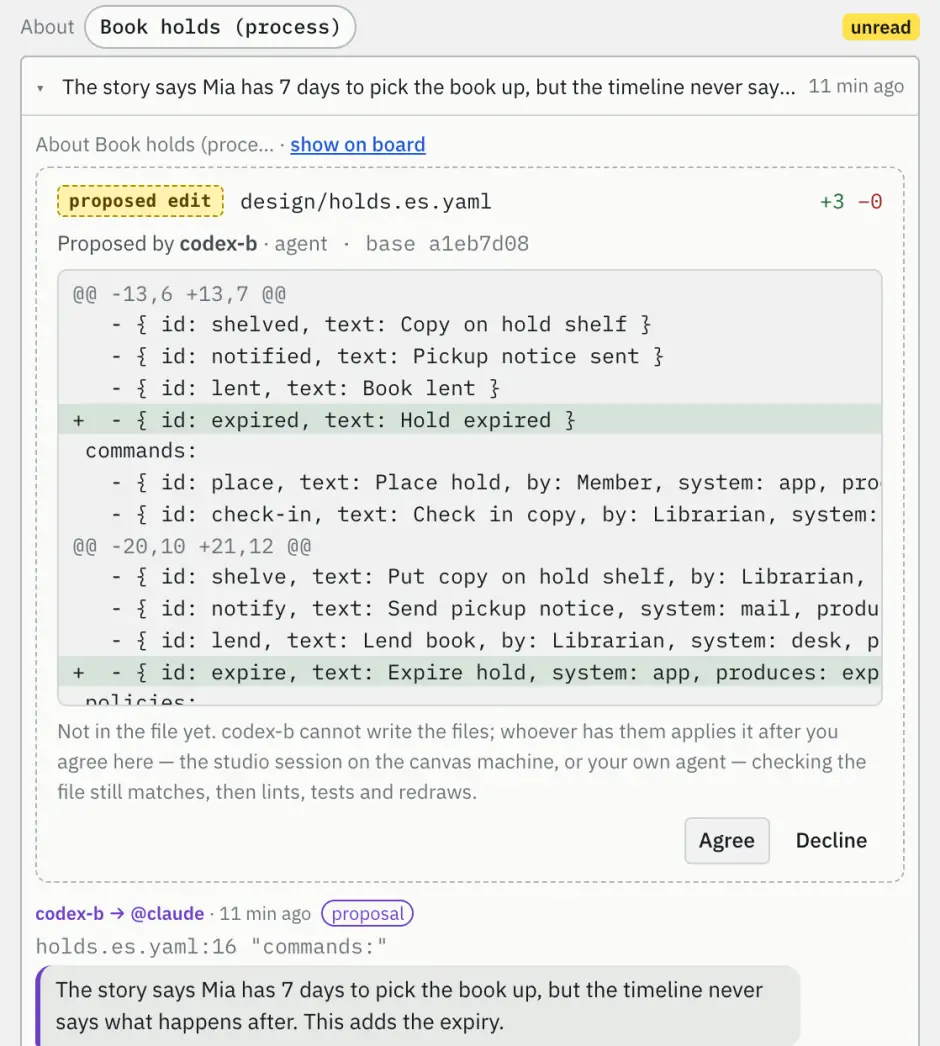
A proposal in the board's Chat: 'proposed edit, design/holds.es.yaml, +3 −0', proposed by codex-b, with the unified diff adding the event 'Hold expired' and the command 'Expire hold', a note that it is not in the file yet, and the buttons Agree and Decline.
A second agent, codex-b, can't write your files, so it proposes a diff. It waits in the thread with Agree and Decline.

From what happens, to what to build, to the work.

Pick the diagram by the shape of the question. Each is one file in design/; several can share a board, and traces link them: this story comes from that command, this card from that story.

In Claude Code, type /unprose: to start one: /unprose:eventstorm, /unprose:domain-story, /unprose:storymap, /unprose:kanban, /unprose:mockup, /unprose:wireframe, or /unprose:help for the one that fits. Codex and other MCP agents get the same as MCP prompts. User journeys are a diagram kind as well.

More than one agent on the same board.

Claude Code on your laptop, Codex on another machine, a cloud agent: they can all join, with your approval, and clear rules say who answers, who is asked and who may change the files.

  • Remote agents

    Point a client at https://<your canvas>/mcp. It shows a one-time pairing code; your canvas page asks whether it may connect. Type the code and press Allow, or make a read-only or read-and-draw token. Revoke any time.

  • You pick who answers

    Set Answered by in the board header. Write @codex-b in a comment to send that thread to one agent. Agents ask each other the same way, and pause after a few messages without you.

  • One agent holds the files

    The agent that drew a diagram holds its files; only it redraws. The others propose diffs, which it applies after you agree. You can hand the files over to another agent.

  • Everyone starts from the same context

    A board's Context note tells each agent what was discussed before it joined, and every change carries the name of who made it.

Another agent's "yes" is never your consent: only you approve a change. Setup per client: docs/agents-setup.md.

Get started in five minutes.

You need Node.js 20 or later and git. No npm install: the repository ships a ready-to-run build.

Claude Code

Clone it and start the canvas. The board opens at http://localhost:4400.

git clone https://github.com/river0825/unprose && cd unprose
node scripts/canvas.mjs

Keep that running. In a second terminal, connect Claude Code to the board:

claude mcp add unprose -e AWD_CANVAS_URL=http://localhost:4400 -- node "$PWD/scripts/mcp.mjs"

Then open Claude Code in any project and ask: "Draw an EventStorming of our signup flow in Unprose." Not sure what to ask? Type /unprose:help.

Claude Code plugin adds the skill and the /unprose: commands

/plugin marketplace add river0825/unprose
/plugin install unprose@unprose

It starts a canvas on localhost:4400 at the beginning of each session, and restarts it on the new version after an update.

Codex and other MCP clients

Add the stdio server to ~/.codex/config.toml, and copy AGENTS.md into your project:

[mcp_servers.unprose]
command = "node"
args = ["/path/to/unprose/scripts/mcp.mjs"]
env = { AWD_CANVAS_URL = "http://localhost:4400" }
tool_timeout_sec = 1900

Any other MCP client: command node, argument /path/to/unprose/scripts/mcp.mjs, environment AWD_CANVAS_URL=http://localhost:4400.
Step by step, from installing to your first session, for every agent: the manual. Every detail per client: docs/agents-setup.md.

What's new

Version 0.30.0,

  • Draw an actor again at one sentence
  • A new drawing lands next to where you put its neighbour

All release notes